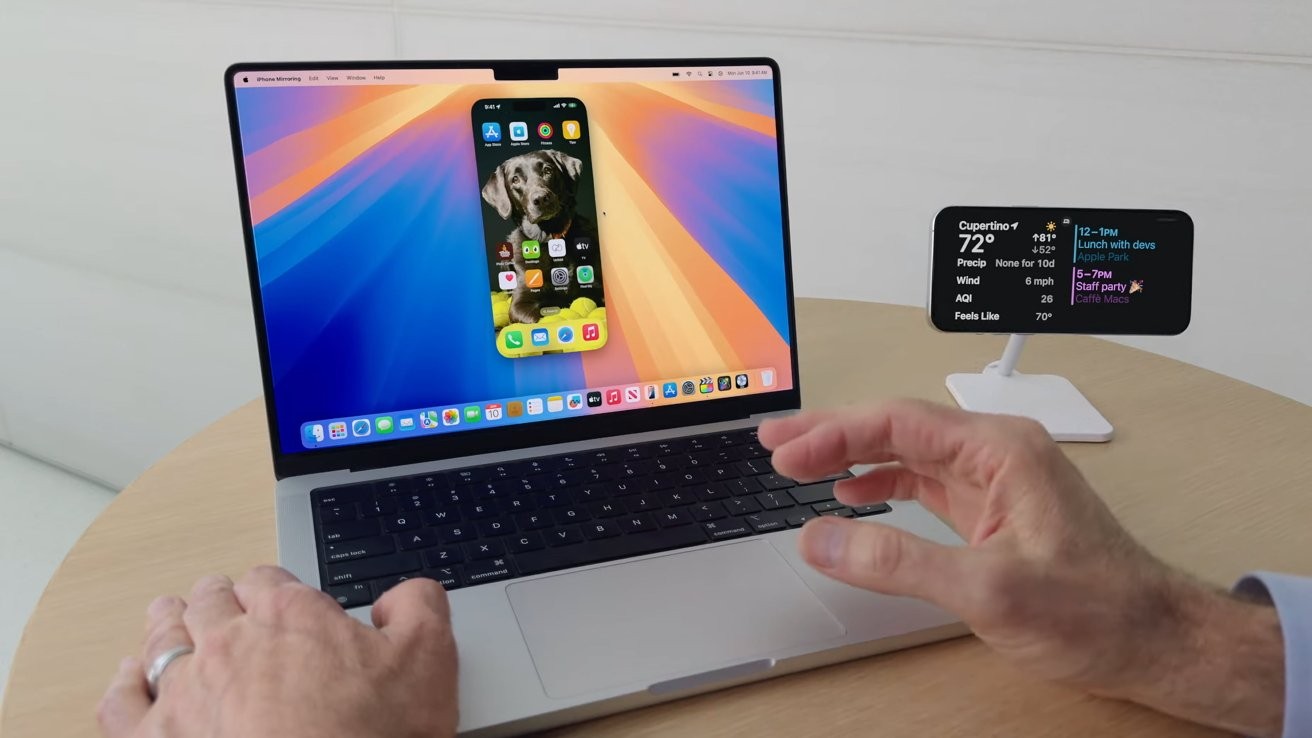
Apple Introduces iPhone Mirroring with macOS Sequoia and iOS 18
July 19, 2024
Apple is expanding its Continuity suite with a new feature called iPhone Mirroring, which debuts alongside macOS Sequoia and iOS 18. This functionality allows users to manage their iPhone directly from their Mac, offering a seamless integration of iOS and macOS ecosystems.
How iPhone Mirroring Works
iPhone Mirroring enables users to control their iPhone using Mac peripherals such as the mouse, keyboard, and trackpad. The iPhone's display is mirrored onto the Mac, allowing users to interact with iOS apps and notifications directly on their computer screen. To initiate a mirroring session, users will find a new iPhone Mirroring app in the Mac Dock. This app must be launched from the Mac, as there is no option to start the session from the iPhone.
Setup and Requirements
To use iPhone Mirroring, both the Mac and iPhone need to be updated to macOS Sequoia and iOS 18, respectively. The devices should be signed into the same Apple ID with two-factor authentication enabled, and both Wi-Fi and Bluetooth must be turned on. The devices need to be in close proximity to each other for the connection to remain stable.
-
Open the iPhone Mirroring app from the Mac's Dock.
-
Follow the on-screen instructions, which include unlocking the iPhone with a passcode and authenticating the connection using Touch ID or a password on the Mac.
-
Choose whether to require authentication for every session or allow automatic connections when the Mac is unlocked.
Features
-
Full iPhone Interface on Mac: Users see their iPhone’s wallpaper and app icons on a dedicated window on the Mac. They can navigate through apps and home screens using familiar gestures.
-
Notifications Integration: iPhone notifications appear in macOS's Notification Center, marked with a small iPhone icon.
-
Audio and Video Playback: Audio from videos played on the iPhone will be output through the Mac’s speakers. However, the Camera app and microphone functionalities are not supported.
-
File Transfers: Apple plans to introduce drag-and-drop file transfers between the iPhone and Mac later this year.
-
StandBy Mode: While mirroring, the iPhone can remain on a charger and display essential information like the time.
Limitations
iPhone Mirroring has some restrictions. It cannot be used simultaneously with other Continuity features like Sidecar or Continuity Camera. Additionally, some streaming apps such as Hulu and Netflix may not function due to DRM constraints. Users also cannot resize the mirroring window or switch between portrait and landscape modes manually.
Security and Privacy
The feature requires both devices to be logged into the same Apple ID and in close proximity, ensuring a secure connection. The iPhone does not need to be unlocked during the session, allowing it to remain safely stored away.
Conclusion
iPhone Mirroring represents a significant step in Apple's efforts to create a unified ecosystem, making it easier for users to manage their devices and stay connected. This feature is expected to be particularly useful for tasks that benefit from a larger screen and more precise input methods, such as typing long messages or managing notifications.